I suppose the best way to start this would be to write about how I set this site up, considering it was very convoluted.
I wanted to be able to edit the site on my iMac G5, which has a couple of modern browsers, but loading modern sites with them is naturally sooooo slow. I also wanted a simple, no frills format, and if it looks oldskool then even better! I went with Neocities, and Zonelets enables me to get started with that easily. Neocities sites can be updated from a Git repository, which means that I can edit text in a lightweight editor, and then push the files to the Git, which will automatically forward those to the Neocities site.
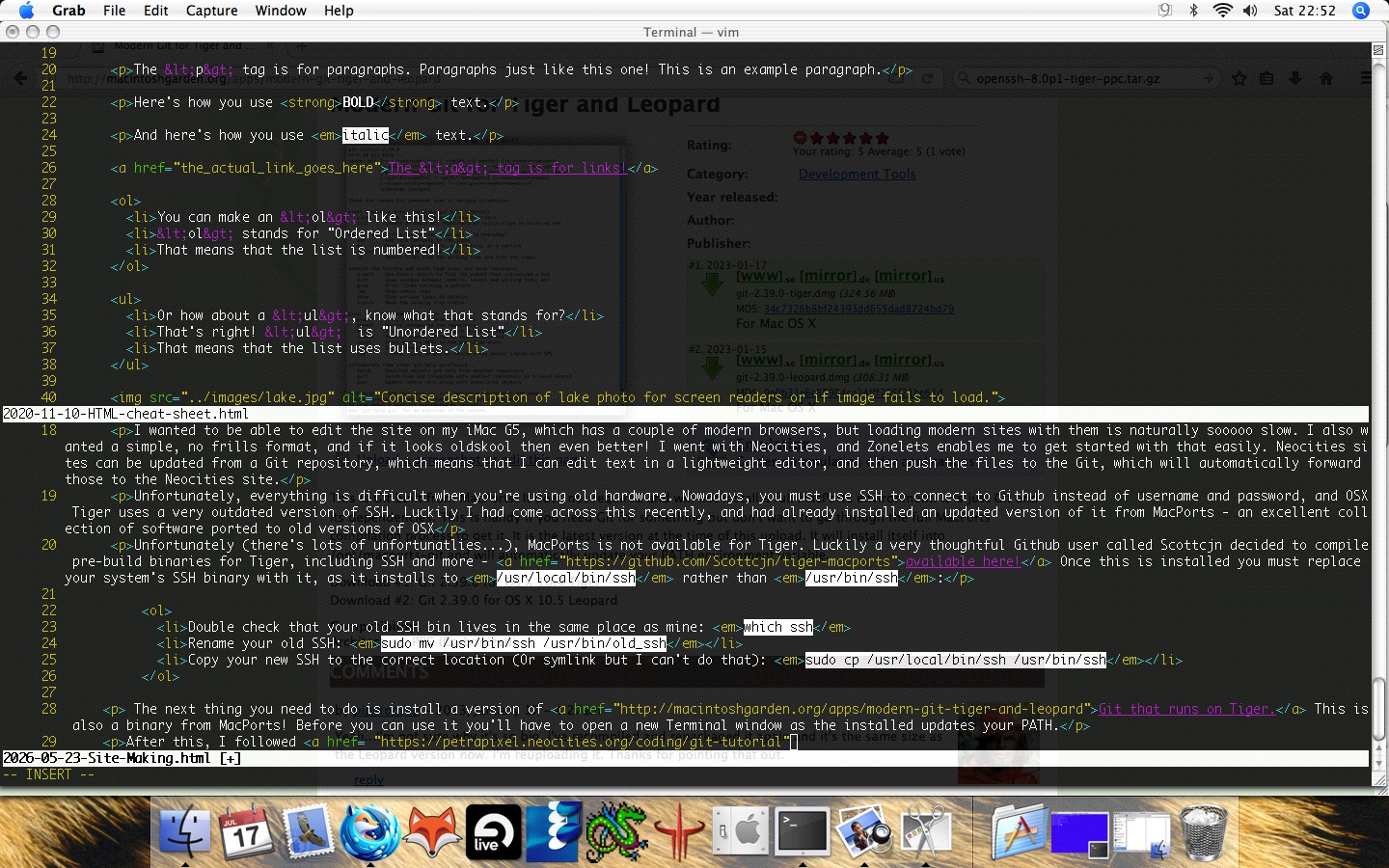
This is how I'm editing things - gives me a kick!
Sidenote - Updating SSH
Unfortunately, everything is difficult when you're using old hardware. Nowadays, you must use SSH to connect to Github instead of username and password, and OSX Tiger uses a very outdated version of SSH. Luckily I had come across this recently, and had already installed an updated version of it from MacPorts - an excellent collection of software ported to old versions of OSX
Unfortunately (there's lots of unfortunatlies...), a MacPorts binary is not available for Tiger. Luckily a very thoughtful Github user called Scottcjn decided to compile pre-build binaries for Tiger, including SSH and more - available here! Once this is installed you must replace your system's SSH binary with it, as it installs to /usr/local/bin/ssh rather than /usr/bin/ssh:
- Double check that your old SSH bin lives in the same place as mine: which ssh
- Rename your old SSH: sudo mv /usr/bin/ssh /usr/bin/old_ssh
- Copy your new SSH to the correct location (Or symlink but I can't do that): sudo cp /usr/local/bin/ssh /usr/bin/ssh
Setting up Git
The next thing you need to do is install a version of Git that runs on Tiger. This is also a binary from MacPorts! Before you can use it you'll have to open a new Terminal window as the installer updates your PATH.
If you haven't done so already, you must.......[Unfinished]
After this, I followed this tutorial, although there were a few quirks.
[Incomplete!!! I'll finish it at some point!]